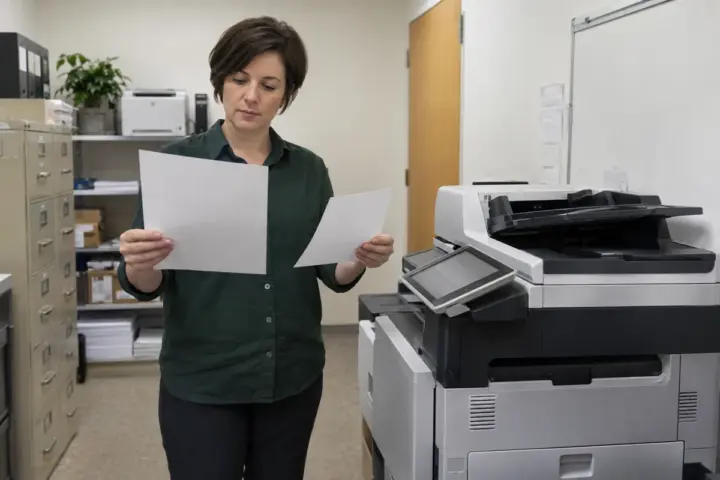

The best copier for a small business is usually the device sized to the work employees actually do. A model that is too small can create delays and wear; a machine bought for rare peak demand can burden the office with capacity it never uses. Start with meter history when comparing the best copier for small business needs.
Measure pages and workflows separately
Monthly volume is important, but it does not describe the job mix. Record color percentage, two-sided use, common paper sizes, envelope or label needs, large sets and peak deadlines. Then map scanning: email, network folders, cloud storage and line-of-business systems may matter more than top print speed.
The copier speed and volume guide helps translate this evidence into a practical range. Compare models through the brand directory, but keep workflow fit ahead of a familiar logo.
Plan for the people who will support it
Ask how toner is supplied, how service calls are opened and what the office should do when the device is unavailable. Local technician coverage and parts support may be more valuable than a feature employees rarely use. The service contract checklist helps compare inclusions and response terms.
Security should match the office’s data. Review administrator access, user authentication, address books, stored jobs, scanning destinations and end-of-life data handling. A small company may not need every advanced control, but it should not leave the default configuration unreviewed.
Choose the acquisition model after sizing
Once the device is defined, compare purchase and lease options with the buy-versus-lease guide. Include delivery, setup, service, supplies, overages and end-of-term obligations. The copier FAQ center can fill common gaps.
A well-sized copier should handle ordinary demand comfortably and known peaks without forcing staff into workarounds. The decision record should explain why the chosen volume, speed, paper handling, scanning and service arrangement fit the office. That is a more durable answer than a list of the year’s most popular machines.
Watch employees complete two or three common jobs before final selection. A receptionist may need quick ID or form scans, accounting may send large searchable files and managers may print short color packets. These tasks expose feeder, interface and destination requirements that a monthly page total cannot show.
Request a short hands-on demonstration with the proposed model or a genuinely comparable device. Test paper loading, address-book use, scan naming, secure release and jam recovery. Note which functions require training or added software. The best small-business choice should reduce routine steps without creating an administrator-only feature maze.