
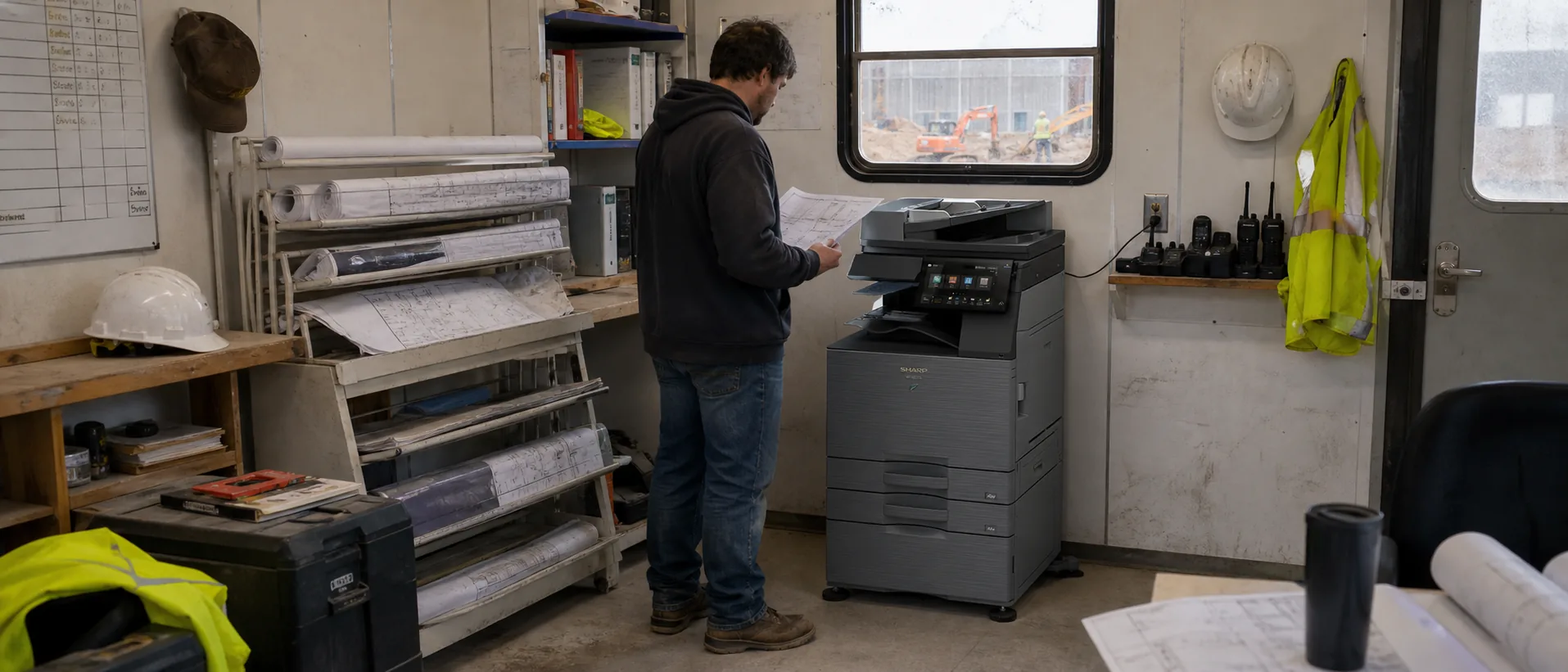
Which Sharp commercial copier models should an office compare?
Sharp BP-50C31 Sharp BP-50C45 Sharp BP-70C55 cover three practical workload levels. Start with paper size, real monthly volume, scan demand and finishing, then compare equal configurations and service terms.
Sharp’s BP Series gives office buyers a consistent A3 color platform across mainstream and higher-throughput requirements. The decision usually turns on print speed, document-feeder performance, security options, paper handling and finishing rather than appearance. These three Sharp models show where the strongest practical breakpoints fall for 2026 buyers.
Sharp does not publish audited model-level United States sales totals. The list is therefore a commercially relevant shortlist—not a verified sales ranking. Confirm current availability and compare the complete installed proposal through the Sharp copier price request.
Quick comparison of three Sharp office copiers
| Model | Speed and class | Best fit | Estimated configured price* |
|---|---|---|---|
| Sharp BP-50C31 | 31 ppm in color and black-and-white A3 color workgroup multifunction copier | Small and midsize departments needing ledger color, approachable controls and flexible expansion. | $7,000–$12,000 configured purchase; roughly $200–$400 per month on a typical equipment lease |
| Sharp BP-50C45 | 45 ppm in color and black-and-white A3 color departmental multifunction copier | General business departments with steady color, scanning and optional finishing requirements. | $11,000–$19,000 configured purchase; roughly $325–$625 per month on a typical equipment lease |
| Sharp BP-70C55 | 55 ppm in color and black-and-white High-performance A3 color departmental multifunction copier | Busy departments with large scan batches, secure workflows and frequent finished output. | $17,000–$29,000 configured purchase; roughly $500–$925 per month on a typical equipment lease |
*Ballpark planning ranges, not quotes or manufacturer list prices. Equipment condition, accessories, term, credit, installation, software, freight, taxes and service can materially change the actual proposal. Compare the same configured machine and assumptions through the commercial copier pricing request.
Sharp BP-50C31: benefits, features and price range
The BP-50C31 is a practical entry into Sharp’s full-size commercial color range. It fits offices that need real A3 paper handling and shared scanning but do not have the demand to justify a 45 or 55 ppm engine. The device can be configured far beyond a basic copier, so a proposal should state its feeder, paper drawers, output trays, security options and any cloud or application connectors.
Key capabilities to verify on the proposal
- 31 ppm color and monochrome output
- 11 x 17 and up to 12 x 18 output support
- 10.1-inch color touchscreen
- Expandable paper and finishing choices
How Sharp BP-50C31 compares with peer models
Compare the BP-50C31 with the Ricoh IM C3010, Konica Minolta bizhub C301i, Xerox AltaLink C8230 and a comparable Canon imageFORCE C3100 configuration. The Sharp’s value depends on the options and dealer support included, not simply a similar advertised speed.
Specifications reference the Official Sharp BP-50C/BP-70C Series user manual and specifications. Verify the exact current configuration and availability with the quoting provider.
Price the Sharp configuration your office will use.
Include monthly volume, paper, scanning, finishing, security and service expectations.
Sharp BP-50C45: benefits, features and price range
The BP-50C45 raises the same office-oriented platform to a speed that works well for larger shared departments. It can be a sensible middle choice when a 31 ppm unit creates queues but the higher-specification BP-70 line would add cost without a clear return. Buyers should run ordinary mixed files and scan batches because real productivity depends on document processing and user workflow as well as rated print speed.
Key capabilities to verify on the proposal
- 45 ppm color and monochrome output
- A3/12 x 18 media capability
- Cloud and mobile workflow support
- Broad paper and finishing expansion
How Sharp BP-50C45 compares with peer models
Its closest peers are the Ricoh IM C4510, Xerox AltaLink C8245, Konica Minolta bizhub C451i and Canon imageFORCE C3150. Compare scan rate, standard feeder, data security, finishing, cloud connectors and the service provider’s technician coverage. Use the commercial copier buyer’s guide to keep those requirements consistent.
Specifications reference the Official Sharp BP-50C/BP-70C Series user manual and specifications. Verify the exact current configuration and availability with the quoting provider.
Sharp BP-70C55: benefits, features and price range
The BP-70C55 is the strongest Sharp choice here for scan-heavy and higher-throughput environments. Its 300-sheet feeder and stated 280 ipm scanning can matter to legal, healthcare, finance, education and operations teams that regularly digitize thick files. The model also provides room for large paper reserves and sophisticated finishing. Those capabilities are valuable only when the quoted configuration actually includes the required hardware.
Key capabilities to verify on the proposal
- 55 ppm color and monochrome output
- 300-sheet dual single-pass feeder
- Scanning up to 280 images per minute
- Standard 650-sheet and maximum 6,300-sheet capacity
How Sharp BP-70C55 compares with peer models
Compare the BP-70C55 with the Xerox AltaLink C8255, Ricoh IM C6010, Konica Minolta bizhub C551i or C651i and Canon imageFORCE C5160. The Sharp emphasizes scanning and capacity; peers may differ in app ecosystems, controller options or service availability. Judge a full workflow demonstration and service plan together.
Specifications reference the Official Sharp BP-70C55/BP-70C65 specification sheet. Verify the exact current configuration and availability with the quoting provider.
What changes a Sharp copier’s real price?
Some Sharp capabilities depend on options, software or the selected dealer configuration. Require a line-by-line equipment schedule and compare service response, included pages and increases with the 2026 office copier pricing guide.
The base engine is only one line in a usable commercial copier proposal. A faster document feeder, extra drawers, large-capacity paper deck, staple or booklet finisher, fax board, workflow software, print controller and data-security options can each change the installed total. Delivery conditions, electrical work, network setup, training and removal of the old machine should also be stated rather than left as assumptions.
A lease comparison needs the same discipline. Record term, payment, advance payments, documentation fees, annual increases, purchase option, return obligations and whether the service agreement is separate. Then normalize included black-and-white and color pages, overage rates, toner, parts, labor, travel and response commitments. The copier lease versus buy authority guide explains how to put those costs on one timeline.
How to choose among the three models
- Measure ordinary and peak work.Use meter history, print logs, scan batches and deadline periods rather than a maximum duty cycle.
- Confirm the paper path.List every size, weight, envelope, label and finished document the office expects to run.
- Test a real workflow.Use representative files, scan destinations, user authentication and finishing on the quoted configuration.
- Normalize the service plan.Compare included pages, overages, annual changes, supplies, response and escalation.
- Document implementation.Name who owns delivery, networking, security, training, acceptance and later support.
A smaller model can be the strongest choice when it handles the peak without delaying critical work. A faster model can earn its payment when it replaces persistent queues, outside print spending or several poorly supported devices. Use the Office Copier Buyer’s Guide and related guidance on What is copier cost per page, What is the difference between a copier and a multifunction printer, How long does an office copier last and How much does it cost to lease an office copier to define that requirement before requesting final prices.
Compare Sharp copier prices and peer alternatives.
Describe the workload once so providers can quote relevant configurations.